How to Draw a Relationship Chart: Templates & Tips for Every Use Case
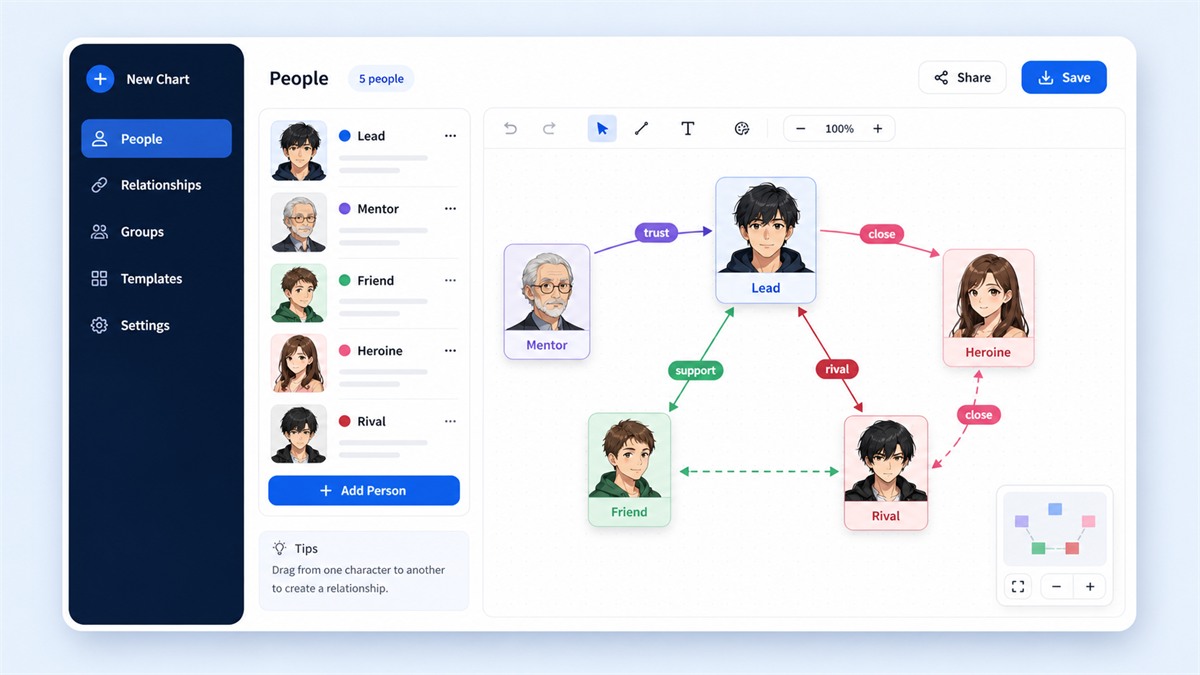
"I want to create a relationship chart but don't know where to start." If that sounds like you, this guide has you covered. We'll walk through how to draw a relationship chart for different purposes — with ready-to-use templates for dramas, teams, family trees, and creative projects.
What Is a Relationship Chart?
A relationship chart (also called a relationship diagram, character map, or connection chart) is a visual representation of how people or entities relate to each other. Lines and labels show who's connected and how.
The benefits are clear: you can see the full picture at once, spot structural gaps, and share complex relationships with others far more effectively than text alone.
The 4 Building Blocks
Every relationship chart consists of these elements:
- Nodes (people): The individuals in your chart, distinguished by name, color, and optionally an image
- Edges (lines): Connections between people, with optional arrows showing direction
- Labels: Text on the lines describing the relationship (e.g., "mentor," "rivals")
- Color groups: Same-colored nodes indicate belonging to the same faction, family, or team
Templates by Use Case
TV Drama Template
5 characters: Protagonist, Love Interest, Rival, Best Friend, Mentor. Place the protagonist at the center, romantic connections nearby, and rivals on the opposite side. Color-code by faction.
Family Tree Template
6 people across 3 generations: Grandparents, Parents, Children. Arrange top-to-bottom by generation. Use different colors for paternal and maternal sides.
Project Team Template
5 roles: PM, Designer, Engineer A, Engineer B, QA. Use labeled arrows to show information flow — "design request," "dev order," "test request." Great for spotting communication bottlenecks.
Creative Writing Template
5–8 key characters from your story. Use bidirectional labels (different from A→B vs B→A) to capture unrequited love, one-sided rivalry, or asymmetric power dynamics.
5-Step Process
Step 1: Define your purpose
Who is this chart for? A personal reference, a social media post, or a presentation? The answer determines how much detail and polish you need.
Step 2: Select people
Keep it under 10. If you need more, split into multiple charts by group or timeline.
Step 3: Label relationships
Keep labels short and specific: Instead of "related," write "childhood friends" or "direct report." Use verbs ("admires," "sees as rival") to convey direction and emotion.
Step 4: Arrange the layout
Central figure in the middle. Close relationships nearby, rivals far apart. Same group = same color family. Use auto-arrange as a starting point, then manually fine-tune.
Step 5: Export and share
For social media, use share buttons (auto-generated preview images). For presentations, download a high-resolution PNG. For ongoing editing, just close the browser — your work auto-saves.
Common Mistakes
- Too many people: 20+ people = unreadable. Split into sub-charts.
- Crossing lines: Start with auto-arrange, then move related people closer together.
- Random colors: Colors without meaning are noise. Use them to communicate group membership.
Recommended Free Tool
Our Relationship Chart Maker lets you create charts in your browser with zero signup. Features include drag-and-drop, one-click templates, bidirectional labels, high-res export, and social sharing. All data stays in your browser — nothing is uploaded to any server.
Summary
The formula for a great relationship chart: define your purpose, limit your people, use short meaningful labels, color by group, and arrange with intention. Pick a template and start building — you'll have a clear, professional chart in minutes.
Start from a template!
Open the relationship chart maker