Character roles
Place your protagonist, sidekick, antagonist, and supporting cast to see who does what.
For novels, comics, TRPG, and fandom
Keep character connections clearer than a notebook ever could. Map allies, rivals, romance, conflict, and secrets onto one chart.

A character relationship chart turns a wall of notes into a visual map. Separate allies, family, romance, rivalries, grudges, and factions, and the shape of your story becomes much easier to hold in your head. For a broader view of hubs and connections across several groups, use the relationship map maker.
Place your protagonist, sidekick, antagonist, and supporting cast to see who does what.
Label relationship lines with romance, conflict, betrayal, or reconciliation as the story develops.
Use group frames to separate schools, organizations, parties, or families.
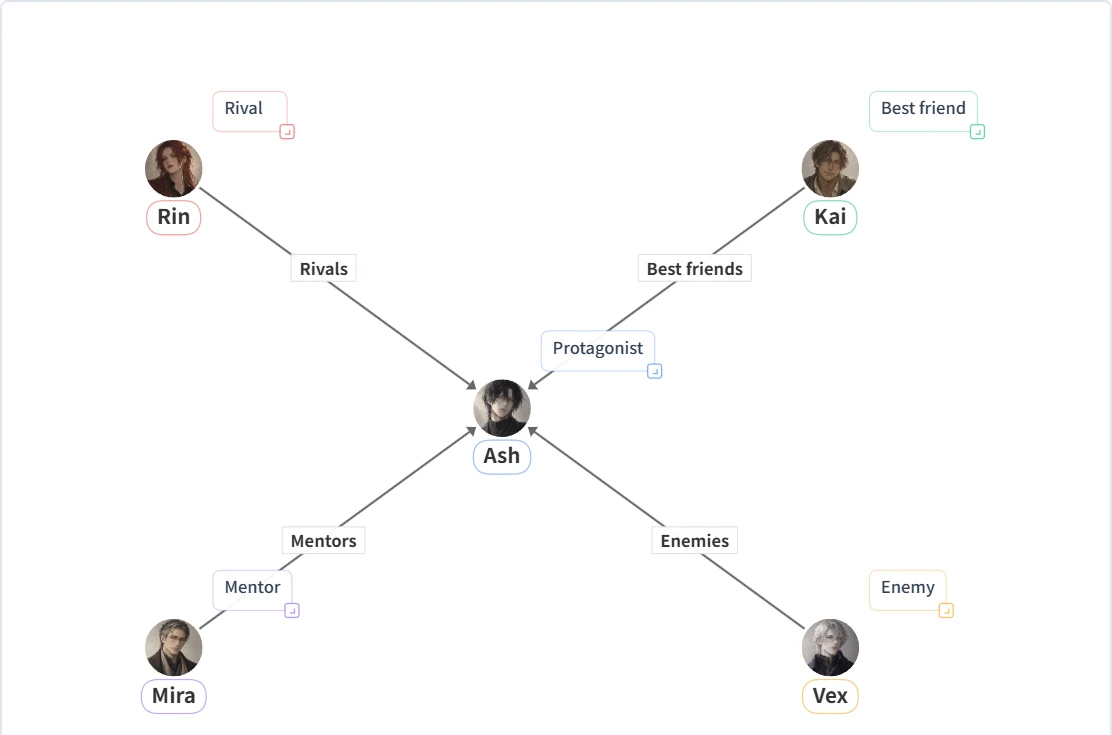
Ash is the protagonist, with Rin as a rival, Kai as a best friend, Mira as a mentor, and Vex as an enemy. Every relationship connects to Ash, so the chart shows the protagonist’s support and conflict but leaves the supporting cast unconnected.
To develop a subplot, try adding a “Former allies” link from Mira to Vex and decide what broke their alliance.
Free: up to 6 characters and HD PNG export with a watermark. The template includes these names and relationships; add your own portraits.
"Character chart" means different things depending on genre. Here's what to track for four common cases.
Note not just the current relationship on each line, but how you want it to change — the chart becomes a plot blueprint. It's the fastest way to catch "these two haven't met yet" timeline errors. For long serials, duplicate the chart per chapter to track the drift.
Add visual notes (hair color, height, blocking) to each character's description card as an art reference. Share the chart's URL with an assistant or co-creator instead of a separate style sheet.
Draw canon relationships as solid lines and your own interpretation as dashed lines. It also works as a shareable "here's my headcanon" reference for shipping discussions.
Match each card's color to the character's signature color, and group by "world" with frames. For crossover charts with a friend's OCs, color-coding by owner keeps things readable.
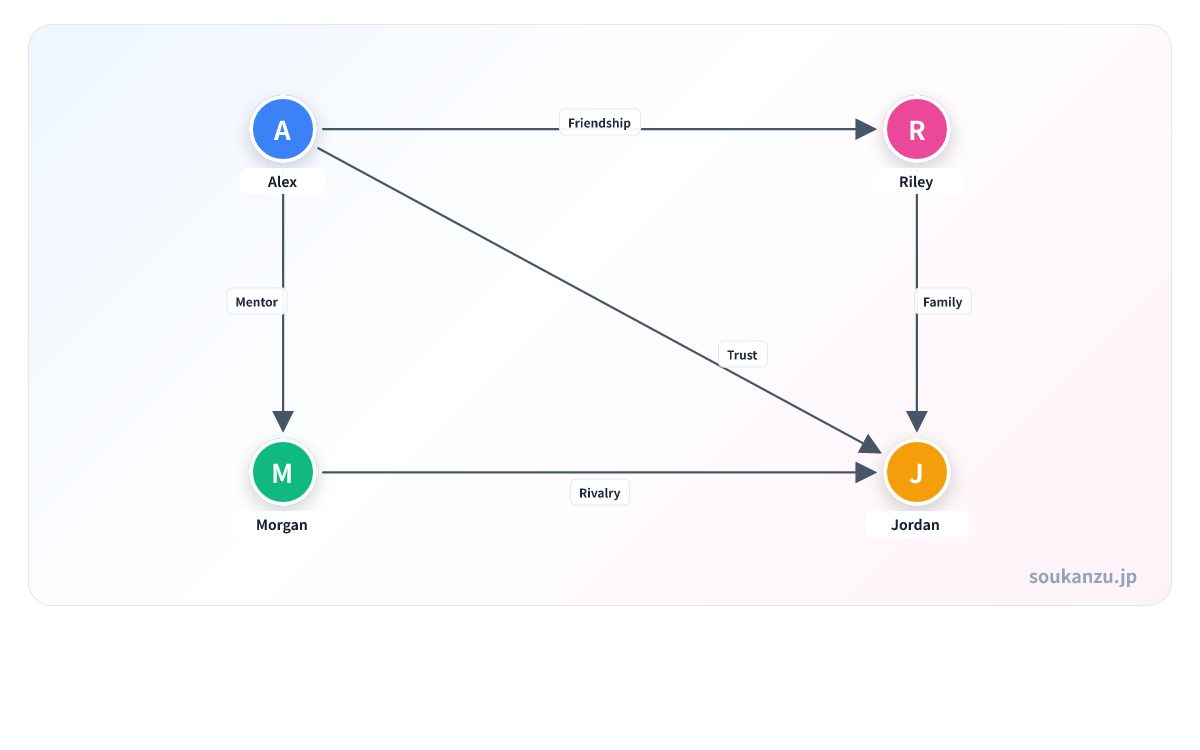
Once a cast passes about ten characters, run these five checks on the chart before you keep writing or drawing — most continuity errors get caught right here.
Comic and illustration work benefits from a visual way to share character distance and affiliation. In fandom spaces, a chart can organize canon relationships or your own interpretation for a social post or analysis thread — sharing the chart's URL includes an OGP preview, which reads better than a plain image post.
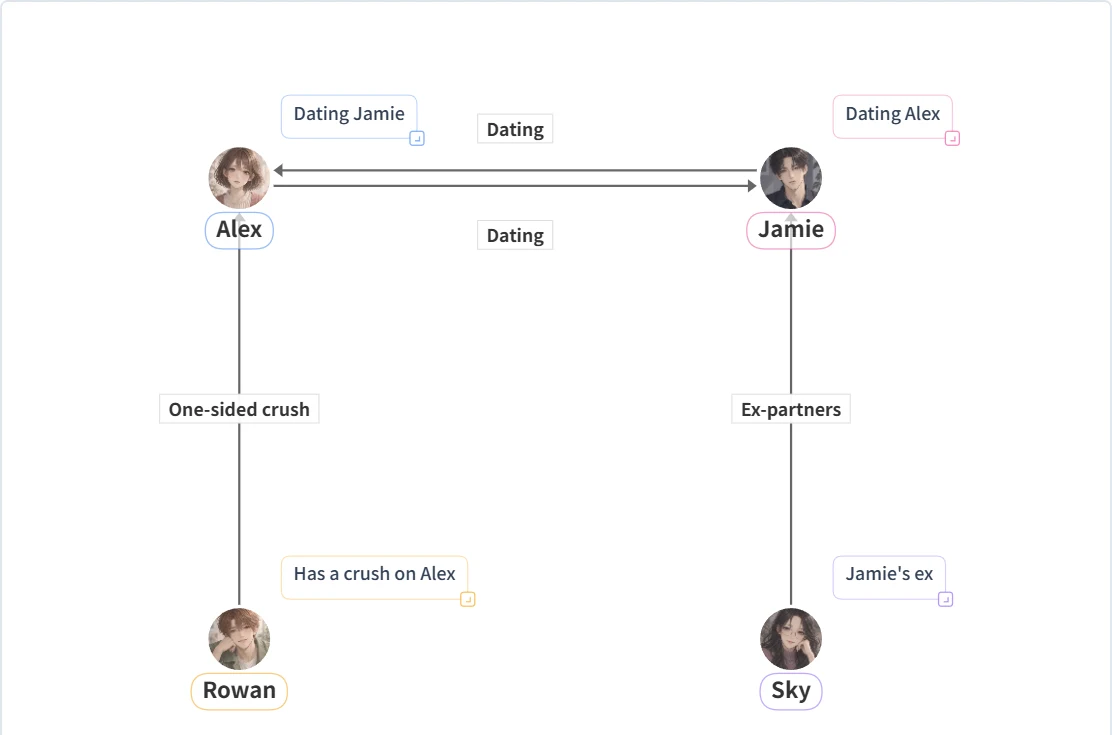
Premium supports casts of 7+ characters, watermark-free PNG export, and PDF/SVG export.
If you already have a synopsis or character notes, the AI diagram generator can extract characters and relationships automatically. Edit names, description cards, and relationship lines afterward in the chart maker.
Draft with AI from textUse scannable words like "friend," "rival," or "one-sided crush" instead of full sentences.
Color-code allies, enemies, family, and mystery characters so the chart reads at a glance.
Frame characters by school, faction, or team so a growing cast stays organized.
PNG export is free (HD quality, with a watermark). Watermark-free export and PDF/SVG export are available with Premium.
Remove the watermarkNo sign-up required. Open the app in your browser and start adding characters.
Yes — each character can have a description shown as a card on the chart.
Yes. We also have a dedicated page for organizing PCs, NPCs, and factions for tabletop games.
Your data is saved only in your browser's local storage and never sent to a server, unless you choose to share a URL yourself.
Up to 6 on the free plan. Premium ($4.99/month) removes the limit for large ensemble casts.
Yes. The mobile UI covers everything from adding characters to exporting and sharing images.